For hotel groups
One account for every property.
Bring applicants and hiring progress that lived separately at each property into one account. Head office sees the whole group; each property sees its own.
The group problem
The more properties you run, the less of hiring you can see.
The same front desk role, posted separately in Ginza and Atami. Applicants apply twice, emails read differently at each property, and head office never sees the whole picture.
Pipeline across properties
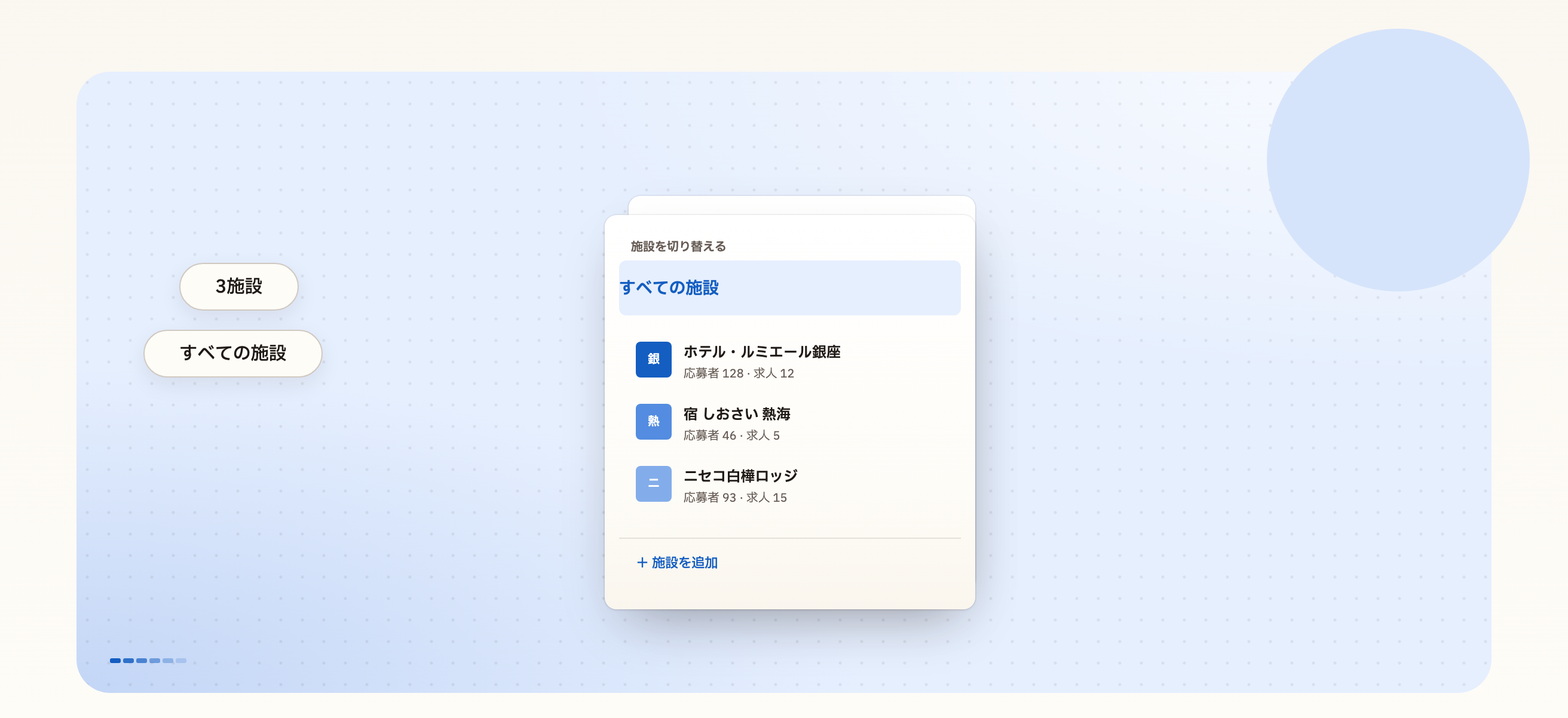
Every applicant in the group, in one list.
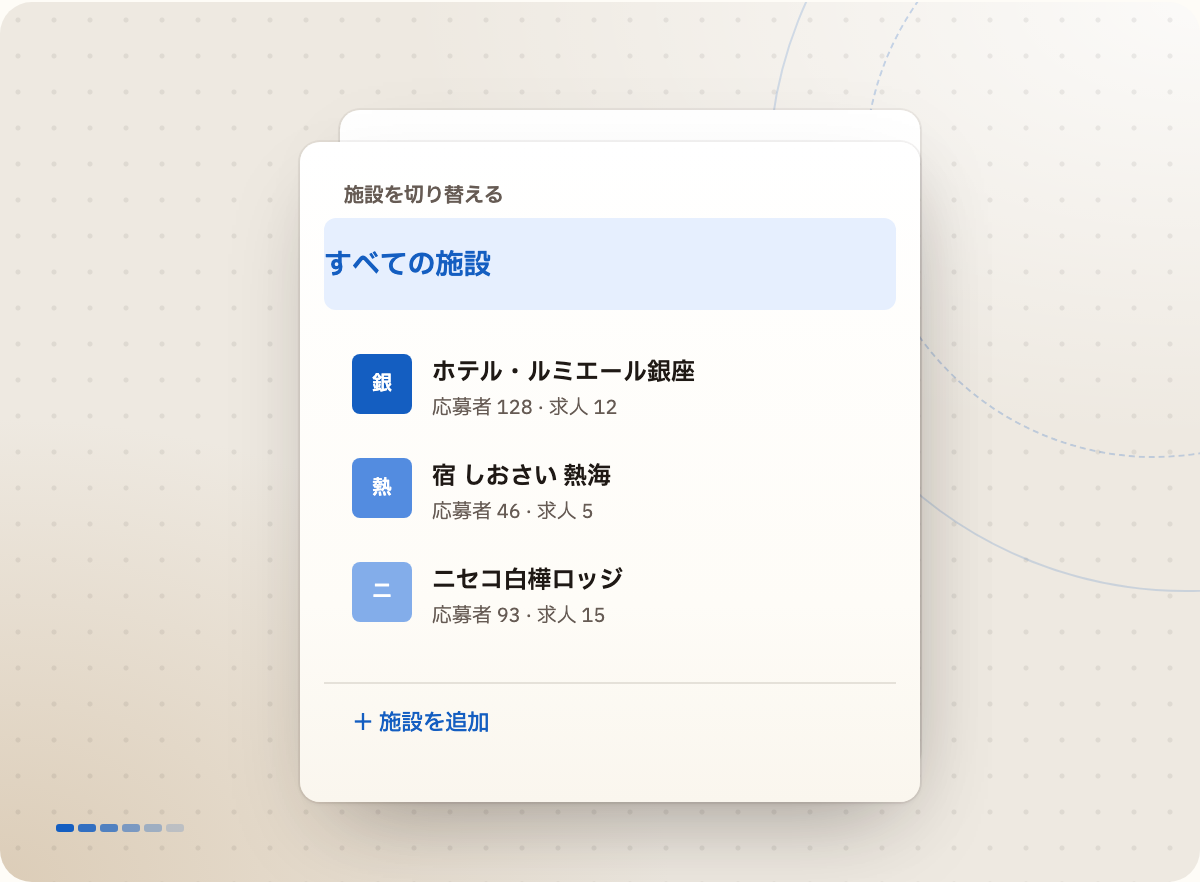
Switch to "All properties" and see every applicant in the group. Filter by property and it becomes that property's pipeline.
Applicants who've applied before are flagged
Saved views per property, so each recruiter's day is one list
Permissions
Decide who sees what, property by property.
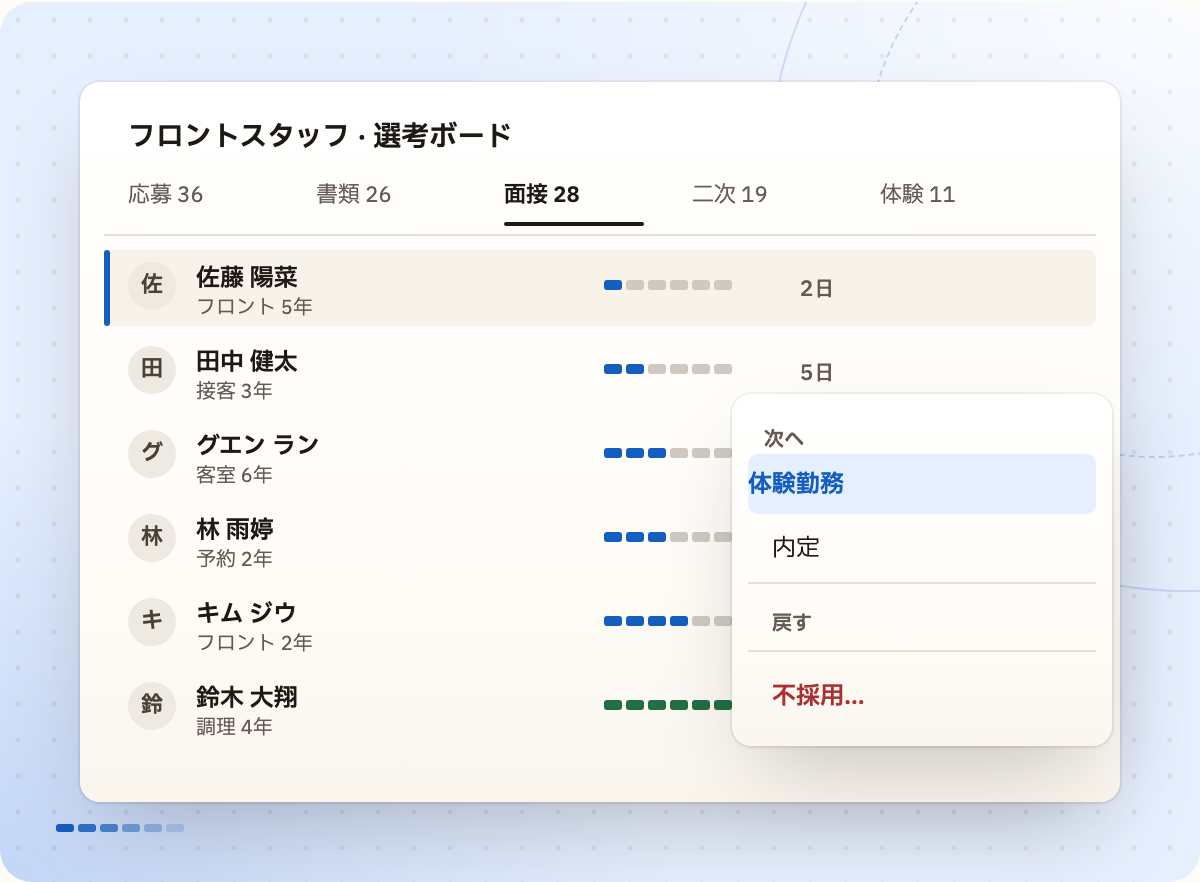
Give each team member the properties and role they work on. A general manager sees their hotel; group HR sees everything.
Admin or member access, set per property
Send outside interviewers a link to add their feedback
Every action recorded with who made it
Group insights
See which property hiring is stuck at.
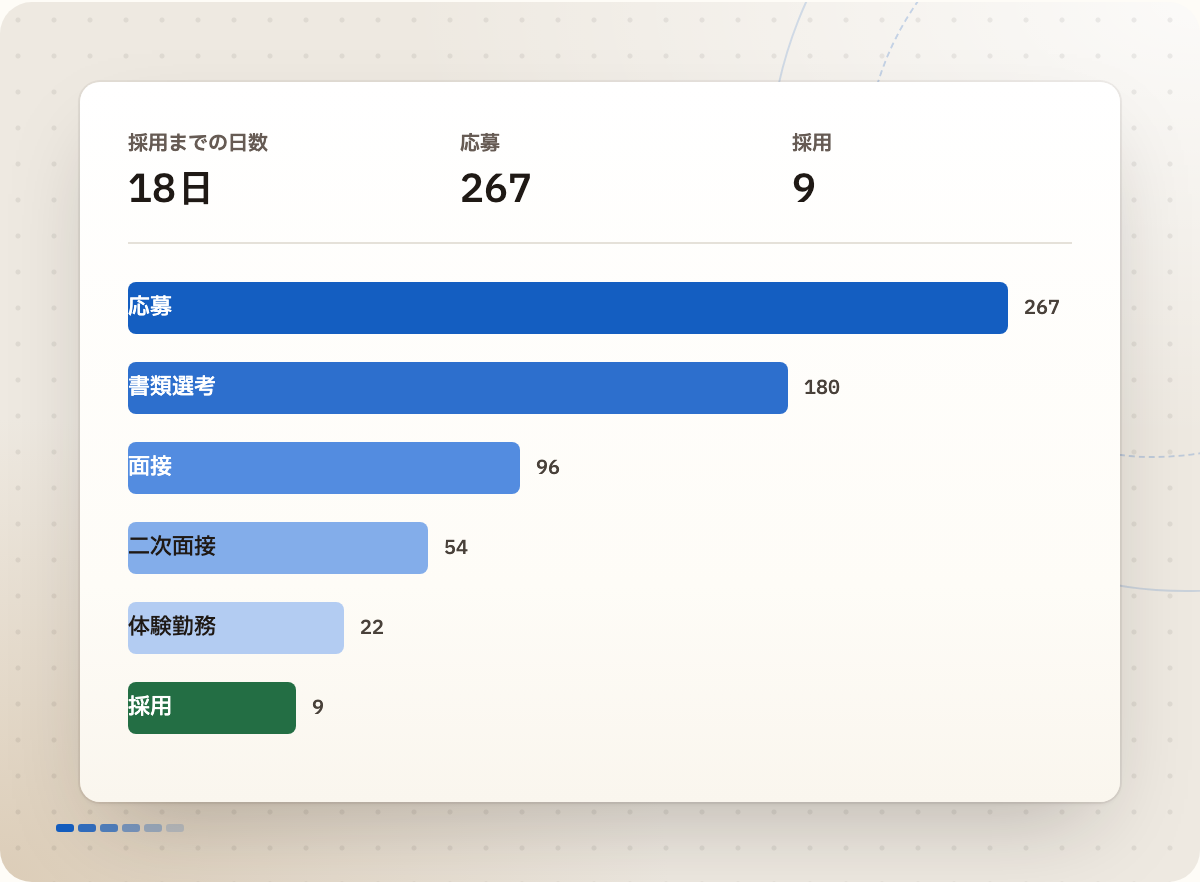
See time to hire, stage movement and sources for the whole group or for one property.
Switch between the whole group and each property
Postings with no movement for 14 days flagged as needing attention
FAQ
Is there a limit on properties?
[To be confirmed]
Can each property have its own career page?
Yes. Each property can have its own career page.
Can we bring our existing applicant data?
[To be confirmed]